
Gaming
5 Best Offline Mobile Games in 2025

Mobile gaming is tailored for on-the-go entertainment, but not all of the top iOS and Android games support offline play. This can pose a challenge when selecting games for your commute or when you’re without an internet connection.
That’s why Alplays has curated a collection of some of the most captivating offline iOS and Android games, including titles like Legendary Heroes, Shadow Fight 3, and more.
Rest assured that each game has been meticulously tested to ensure seamless offline gameplay. So, if you’re in need of a mobile game or two for your upcoming journey, you’ve come to the right place—just don’t forget to bring your favorite gaming phone along for the adventure.
5. Grimvalor
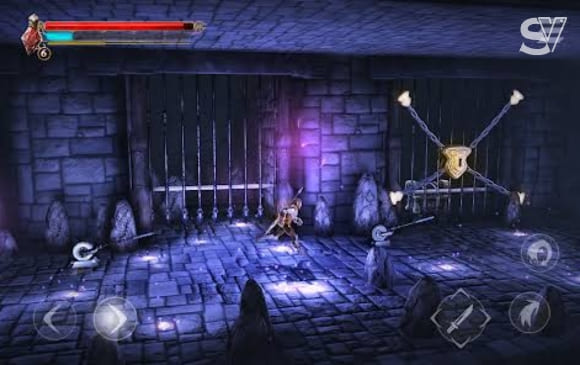
Grimvalor is an exhilarating action-platformer renowned for its dynamic combat and immersive exploration. Venture through dim dungeons and treacherous landscapes, each level meticulously crafted to test your abilities.
A standout feature of Grimvalor is its combat system, which is both seamless and responsive, delivering deeply gratifying battles. With an array of abilities and weapons at your disposal, you can adopt various combat styles, adding depth to the gameplay.
The game strikes an excellent balance between challenge and enjoyment, setting it apart as one of the premier titles in its genre.
The game’s storyline adds a layer of depth to your journey. As you progress, you unravel the mysteries of the forgotten kingdom, enhancing the overall narrative. Grimvalor isn’t just about combat; it’s a captivating exploration into the unknown. With its blend of storytelling, action, and discovery, Grimvalor stands out as a remarkable gaming experience.
4. Legendary Heroes
The gaming industry, particularly in the mobile market, has seen a surge in the popularity of Multiplayer Online Battle Arena (MOBA) games. While many prefer the online multiplayer experience for gaming with friends, offline MOBA games like Legendary Heroes offer a compelling alternative that can deliver the same excitement and satisfaction, along with a unique twist that elevates the MOBA gaming experience.
In contrast to playing with friends on a team, Legendary Heroes allows you to control up to three distinct heroes in a match. This feature provides greater flexibility in navigating the game map and executing strategic maneuvers, giving you a more hands-on approach to the gameplay.
Engage with this distinctive MOBA game and put your skills to the test as you lead a team of formidable heroes to triumph.
3. Angry Birds 2
Angry Birds 2 stands out as a timeless favorite with a contemporary twist, earning its place at the top of this list. Building upon the original Angry Birds gameplay, this version introduces an array of enhancements.
Players can expect more levels, challenges, and a diverse cast of birds with distinct abilities. Despite these additions, the game maintains the original charm and straightforwardness while offering deeper gameplay.
Its accessibility makes it easy to grasp, yet mastering the game demands skill and strategy due to its physics-based puzzles. Each level introduces a fresh set of challenges, ensuring that players remain engaged and entertained throughout their experience.
2. Gangstar Vega: World of Crime
Gangstar Vegas offers an immersive open-world experience, inviting players to step into the shoes of a gangster in Las Vegas, the renowned city of sin. As you navigate the game’s expansive environment, you’ll engage in a series of missions aimed at enhancing your street reputation and unlocking new content.
In your pursuit of power and influence, you’ll clash with rival gangs, climb the criminal hierarchy, and establish your own criminal empire. The game also allows for extensive customization, letting you personalize your character with a range of stylish cosmetic items and take the wheel of various exotic cars.
However, rising to the top in Gangstar Vegas is no easy feat. The city is rife with chaos and challenges, testing your skills and resolve at every turn. Are you ready to embrace the criminal lifestyle and carve out your place in the unforgiving world of Gangstar Vegas?
1. Shadow Fight 3
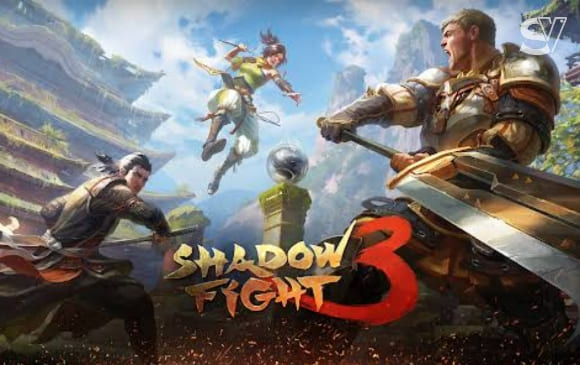
Shadow Fight 3 offers a unique fusion of RPG elements and classic fighting mechanics, making it a standout in the genre. Its captivating storyline is intertwined with thrilling battles, adding depth to the overall experience.
Visually, the game is a marvel, boasting stunning graphics that represent a significant advancement from its predecessors. The attention to detail in character design and smooth animations sets it apart in the realm of mobile gaming. Additionally, the ability to collect gear and customize your fighter adds a personal touch, enhancing the game’s appeal and depth.
What truly sets Shadow Fight 3 apart is its gameplay. The controls are intuitive, making it accessible for new players, yet the game offers a challenging learning curve for those seeking mastery. Strategy plays a crucial role in every fight, making it engaging for both casual and hardcore gamers alike. This balance of accessibility and depth makes Shadow Fight 3 a game that keeps players coming back for more.
Gaming
Man Utd fans name player they never want to see again after ‘disgraceful defending’ in Newcastle defeat
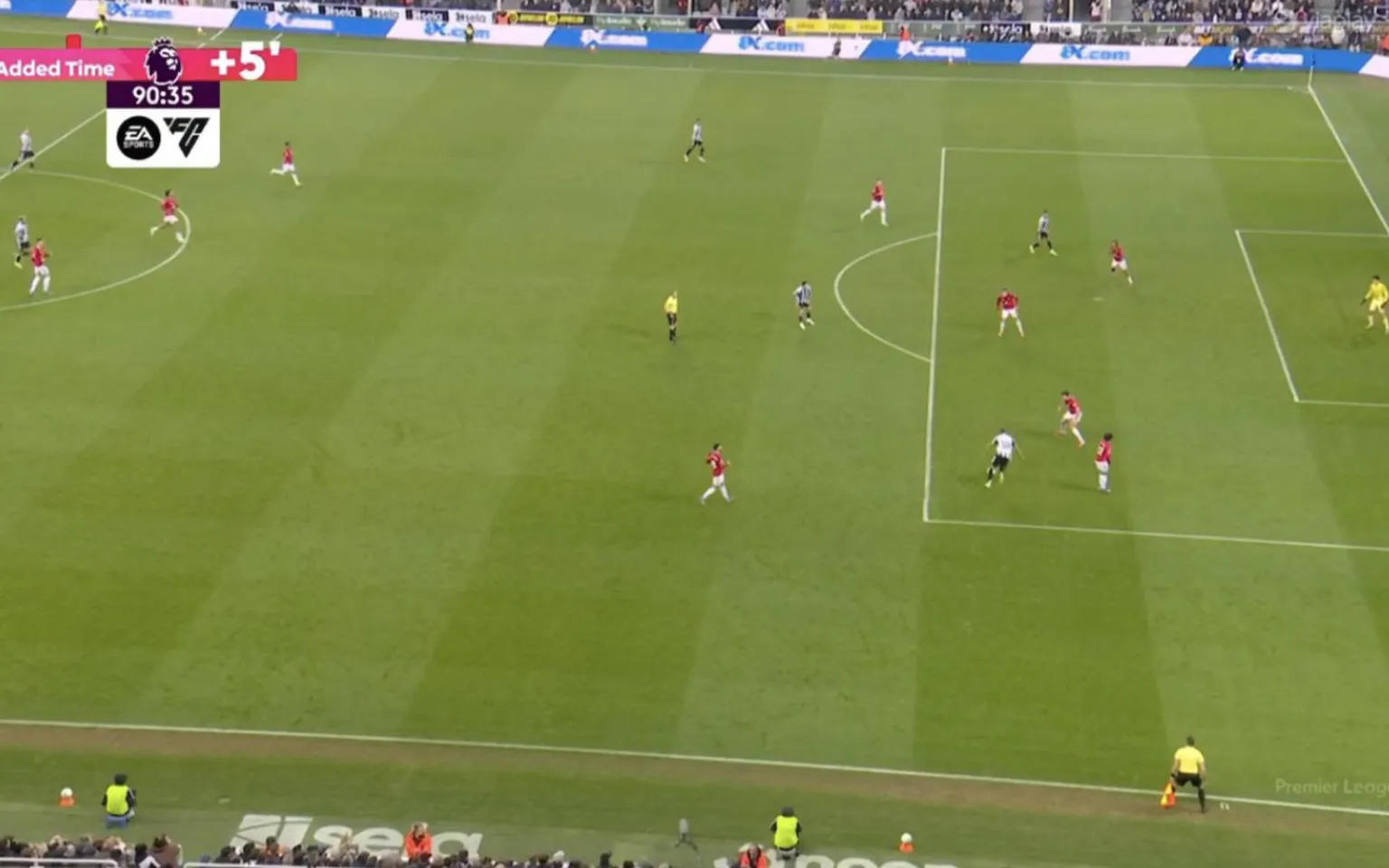
Manchester United FC supporters were left furious after defender Tyrell Malacia was involved in the sequence that led to Newcastle United FC’s dramatic late winner.
Despite being reduced to ten men, Newcastle snatched all three points thanks to a stunning stoppage-time strike from substitute William Osula. The forward surged forward on a powerful run before bending a superb left-footed effort into the corner to seal the victory.
Malacia had only just come on in the 85th minute, replacing Noussair Mazraoui. However, the Dutch full-back struggled to deal with Osula’s movement in the decisive moment. The Newcastle attacker’s quick stepovers left Malacia off balance and briefly facing the wrong direction before the shot was fired past goal.

The moment sparked heavy criticism from United fans online. One supporter wrote that Malacia should never start another game for the club, questioning the quality of the defending in the build-up to the goal. Another fan said the appearance should be his last for United, arguing the club should never have signed him and wondering why he was even on the bench. Others echoed the frustration, with one supporter saying they were speechless after watching the defender’s reaction to the move, while another insisted the substitution itself made little sense.
Malacia endured a difficult period before returning to the pitch. The left-back missed the entire 2023–24 campaign because of a serious knee injury and only made his comeback in November 2024. He then spent the second half of last season on loan at PSV Eindhoven.
After returning to Old Trafford, Malacia initially found himself out of the squad and was reportedly included in Ruben Amorim’s so-called “bomb squad” alongside players such as Marcus Rashford, Jadon Sancho and Antony. With no transfer materialising during the summer window, he was eventually brought back into first-team training toward the end of September.
The appearance at St James’ Park was only his second for the senior side this season, following a brief cameo against Newcastle at Old Trafford on Boxing Day. The nine-cap Netherlands international is also approaching the end of his contract, which expires this summer.
The match itself burst into life during first-half stoppage time. Jacob Ramsey was sent off after receiving a second yellow card for simulation following a challenge from goalkeeper Senne Lammens.

Moments later Newcastle were awarded a penalty when Bruno Fernandes tripped Anthony Gordon inside the box. Gordon stepped up and converted from the spot to give the hosts the lead.
United responded quickly, with Casemiro heading home Fernandes’ free-kick deep into first-half stoppage time to level the score.
The visitors pushed for a winner after the break, but it was Osula who produced the decisive moment with a memorable strike in the 90th minute.
The victory lifted Newcastle above Brighton & Hove Albion FC into 12th place in the table, while Manchester United remained third but missed the chance to strengthen their hold on a UEFA Champions League position.
If you’re looking to use custom songs in your Roblox games, you’ll need to know how to find their Song ID numbers. Here’s a step-by-step guide to help you get started.
Method 1: Using Roblox.com
- Log in to Roblox
Start by visiting Roblox.com and signing in to your account. - Access the Creator Marketplace
Click on the Create tab at the top of the page. Once there, navigate to the Creator Marketplace. - Select Audio
On the left-hand side of the Creator Marketplace, click on Audio. You’ll see a list of audio files available for use—many of which are free. - Find and Select a Song
Browse through the available options and select the song you’d like to use. You can click on the song to preview it. - Locate the Song ID
When you’ve selected a song, look at the URL in your browser’s address bar. Afterroblox.com/library/, you’ll find a number—this is the Song ID. Copy this number usingCtrl + C. - Add the Song to Your Game
In Roblox Studio, go to Sound Service and add a new sound. Paste the Song ID into the Sound ID field and pressEnter. You can now adjust settings like looping and playback.
Method 2: Using Roblox Studio
- Open the Toolbox
In Roblox Studio, open the Toolbox and click on Audio in the Marketplace section. - Browse for a Song
Search for a sound effect or song you’d like to use. When you find one, right-click on it and select Copy Asset ID. - Add the Song to Your Game
Paste the copied Asset ID into the Sound ID field where you’d like the sound to play.
Conclusion
These two methods make it easy to find and use Song IDs in your Roblox games. Whether you’re working directly in Roblox Studio or exploring the Creator Marketplace, you’re now equipped to enhance your game with custom audio.
If you have questions, feel free to leave them in the comments. Don’t forget to check out my other Roblox Studio tutorials for more tips and tricks. Thank you for reading, and happy game development!
Roblox, a dynamic and interactive online gaming platform, allows players to personalize their gameplay with music.
This customization is possible through Roblox Music Codes, which are unique identifiers for a wide variety of songs.
However, due to Roblox not owning the rights to these tracks, the available music codes are frequently updated, with some songs being removed and new ones added regularly.
In this article, we’ll guide you through the latest song IDs, ensuring your Roblox games stay fresh and fun with a current music selection.
The best Roblox music codes
Here’s a list of the best songs and sound IDs to play in Roblox, along with the necessary codes:
- AC/DC – Thunderstruck – 146961487
- Amaarae – SAD GIRLZ LUV MONEY – 8026236684
- The Anxiety – Meet Me At Our Spot – 7308941449
- Ashnikko – Daisy – 5321298199
- Baby Shark – 614018503
- Bach – Toccata & Fugue in D Minor – 564238335
- Beastie Boys – Intergalactic – 131603357
- Beethoven – Fur Elise – 450051032
- Beethoven – Moonlight Sonata (1st Movement) – 445023353
- Belly Dancer x Temperature – 8055519816
- Billie Eilish – NDA – 7079888477
- Boney M – Rasputin – 5512350519
- BTS – Fake Love – 1894066752
- Charli XCX – Boom Clap – 189739789
- Chumbawamba – Tubthumping – 6210414499
- Claude Debussy – Claire De Lune – 1838457617
- Darude – Sandstorm – 166562385
- Dua Lipa – Levitating – 6606223785
- Doja Cat – Say So – 521116871
- Ed Sheeran – Bad Habits – 7202579511
- Fetty Wap – Trap Queen – 210783060
- Five Nights At Freddy’s – 2 Song: Survive The Night – 189825748
- Frozen – Let It Go – 189105508
- Glass Animals – Heat Waves – 6432181830
- GTA San Andreas – Theme Song – 4571975095
- John Williams – Cantina Band – 131077111
- Juice WRLD – Lucid Dreams – 8036100972
- Justin Bieber – Yummy – 4591688095
- Kelis – Milkshake – 321199908
- Lady Gaga – Applause – 130964099
- Lil Nas X – Industry Baby – 7253841629
- Lil Nas X – Panini – 3345557951
- Linkin Park – In The End – 3018974408
- LISA – Money – 7551431783
- Living Colour – Cult of Personality – 4831009971
- Luis Fonsi – Despacito – 673605737
- Maroon 5 – Payphone – 131396974
- Mii Channel Music – 143666548
- Nirvana – Smells Like Teen Spirit – 3495593580
- Olivia Rodrigo – Brutal – 6937354391
- Panic! at the Disco – Hallelujah – 241864564
- Pinkfong – Baby Shark – 614018503
- Pokémon – Pokérap – 152381839
- PSY – Gangnam Style – 130844430
- Queen – Bohemian Rhapsody – 4587240503
- Soft Jazz – 926493242
- Spider-Man: Into the Spider-Verse – What’s Up Danger – 3106151105
- Spooky Scary Skeletons – 515669032
- Taylor Swift – You Belong With Me – 6159978466
- Wii Sports – Boxing (Results) – 5899797296
- Wolf Alice – Fluffy – 1306647669
How to use music codes in Roblox
To play music using Roblox song IDs, you’ll need a Boombox. Here’s how to use music codes:
- Equip your Boombox.
- Interact with the Boombox by clicking on it.
- Enter the song ID you want to play and hit “play.”
- To stop the music, simply unequip the Boombox.
Please note that some games restrict the use of the Boombox. In those cases, players will need to purchase a Game Pass to access the radio feature. Once you have the Game Pass, follow the same steps as you would with the Boombox to enjoy your music.
-
Football11 months ago
Antony scores another worldie with stunning free-kick vs ex-Man Utd team-mate
-
Football10 months ago
Guardiola refuses to shake hands with Palace star as Man City boss makes his feelings clear at the final whistle
-
Football10 months ago
Lionel Messi involved in furious argument with referee after Inter Miami game
-
NBA1 year ago
9 Years After ESPN Punishment, Radio Host Reveals Miami Heat’s Role in LeBron James’ Billboard Controversy
-

 Football9 months ago
Done deal: Details of Paul Pogba’s transfer to Monaco
-
Football10 months ago
Man Utd wonderkid dubbed ‘Next Yamal’ could snub Spain for England
-
Football10 months ago
REVEALRD: Why do Man Utd have (Red) as their shirt sponsor vs West Ham
-
Football11 months ago
Amorim spotted with new plaster on his knuckles after half-time vs Bilbao